
Ai In Repair12 min read
How AI Is Changing the Repair Industry
AI isn't replacing repair technicians — it's making them faster, more accurate, and more productive. Here's how AI is transforming repair shop operations in 2026.
Inventory & Sales
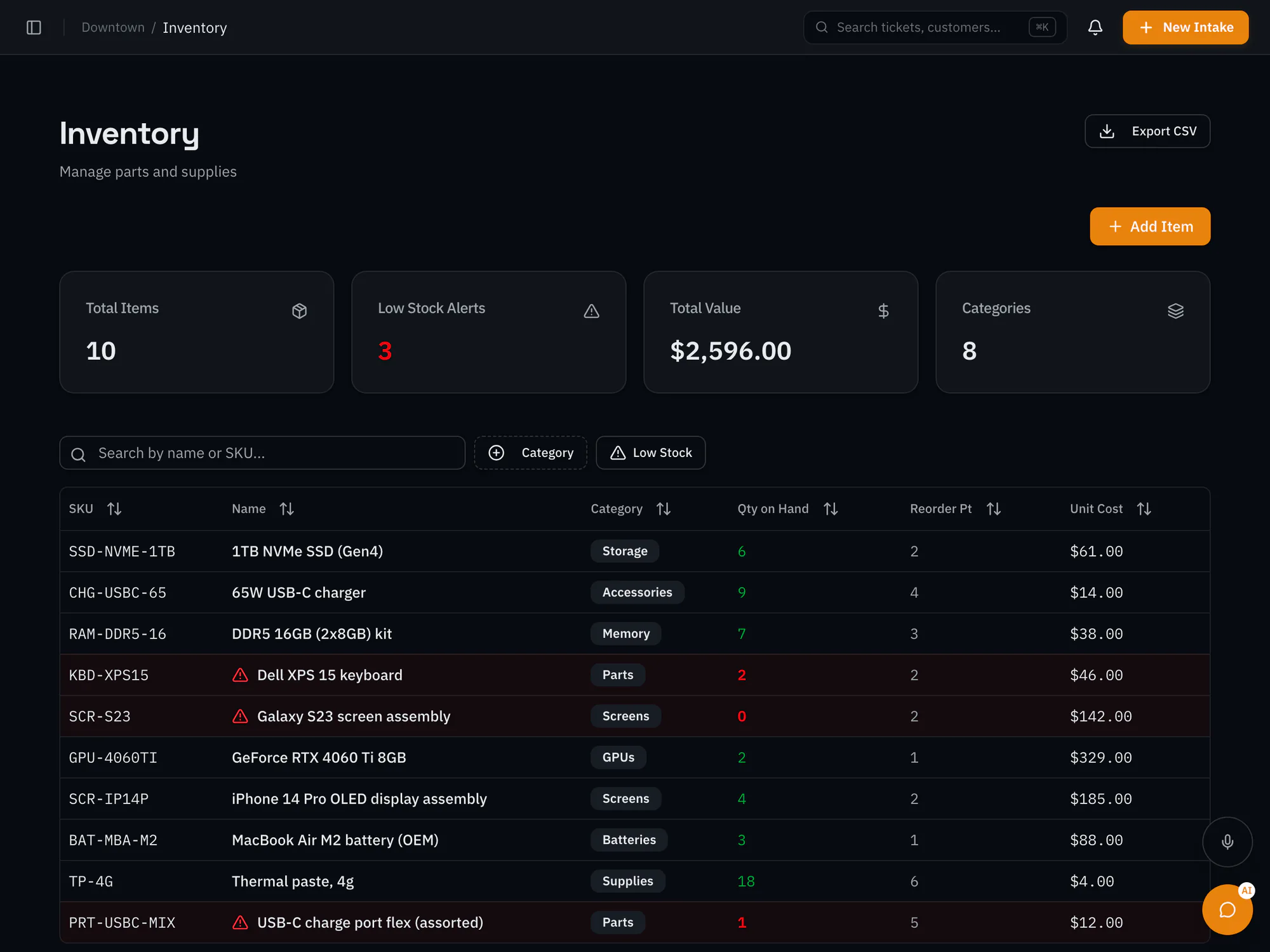
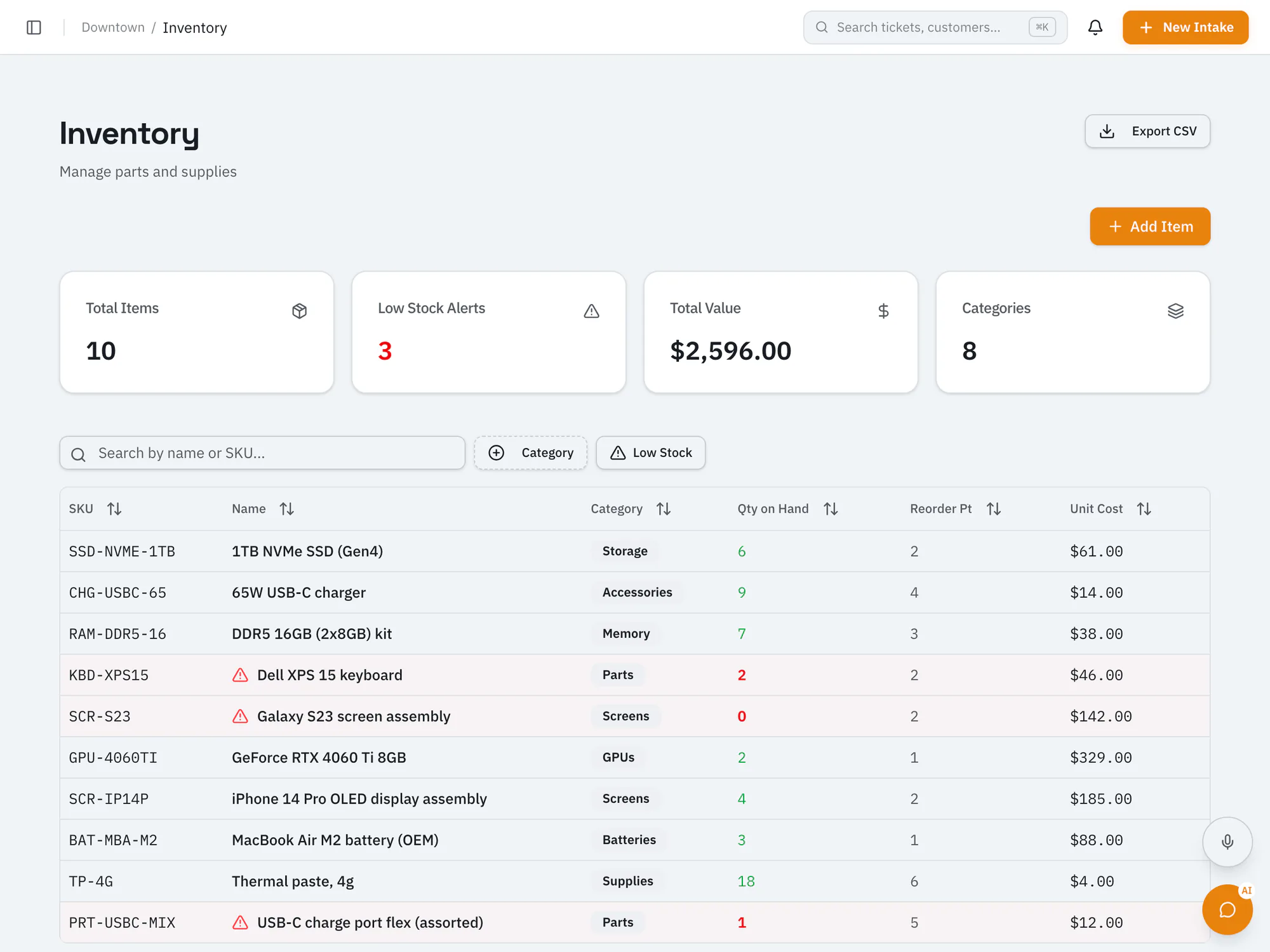
Stop guessing what's in stockTrack parts and stock levels for each location, get low-stock alerts at your reorder points, and manage purchase orders with shipment tracking.
Starter plan and upCompare plans
Why it matters
Quantities, costs, and prices tracked for each shop.
Create, send, and receive purchase orders, with carrier tracking for shipments.
See what's below its reorder point before it holds up a repair.
How it works
Bulk-import your parts list from CSV.
Add parts to tickets so you know what went into each repair.
Create a purchase order and receive items when they arrive.
Ai In Repair12 min read
AI isn't replacing repair technicians — it's making them faster, more accurate, and more productive. Here's how AI is transforming repair shop operations in 2026.

Ai In Repair9 min read
No hype, no jargon — a straightforward guide to how AI actually works in repair shops, what BYOK means, and how to get started without breaking the bank.
Now onboarding beta shops
RepairOps is onboarding repair shops in small batches. Join the beta and we'll be in touch when a spot opens.